
Back to blog
Webflow vs. Wix: Which Website Builder Is Better?
Compare Webflow vs Wix and discover which website builder fits your needs based on design control, ease of use, customization, and scalability.

Mar 10 2026
Both Webflow and Wix can build websites, but they approach the process from different angles. One prioritizes creative control and gives you access to every design detail, while the other focuses on simplicity and removes technical barriers, allowing you to launch quickly.
Neither platform is universally better. The right choice depends on your experience level, how much control you need, and whether you value speed over customization.
This article compares Webflow vs. Wix to show you where each excels and help you decide which builder fits your needs better. In case neither matches your goals, we'll also introduce an alternative worth checking out.
Webflow Overview
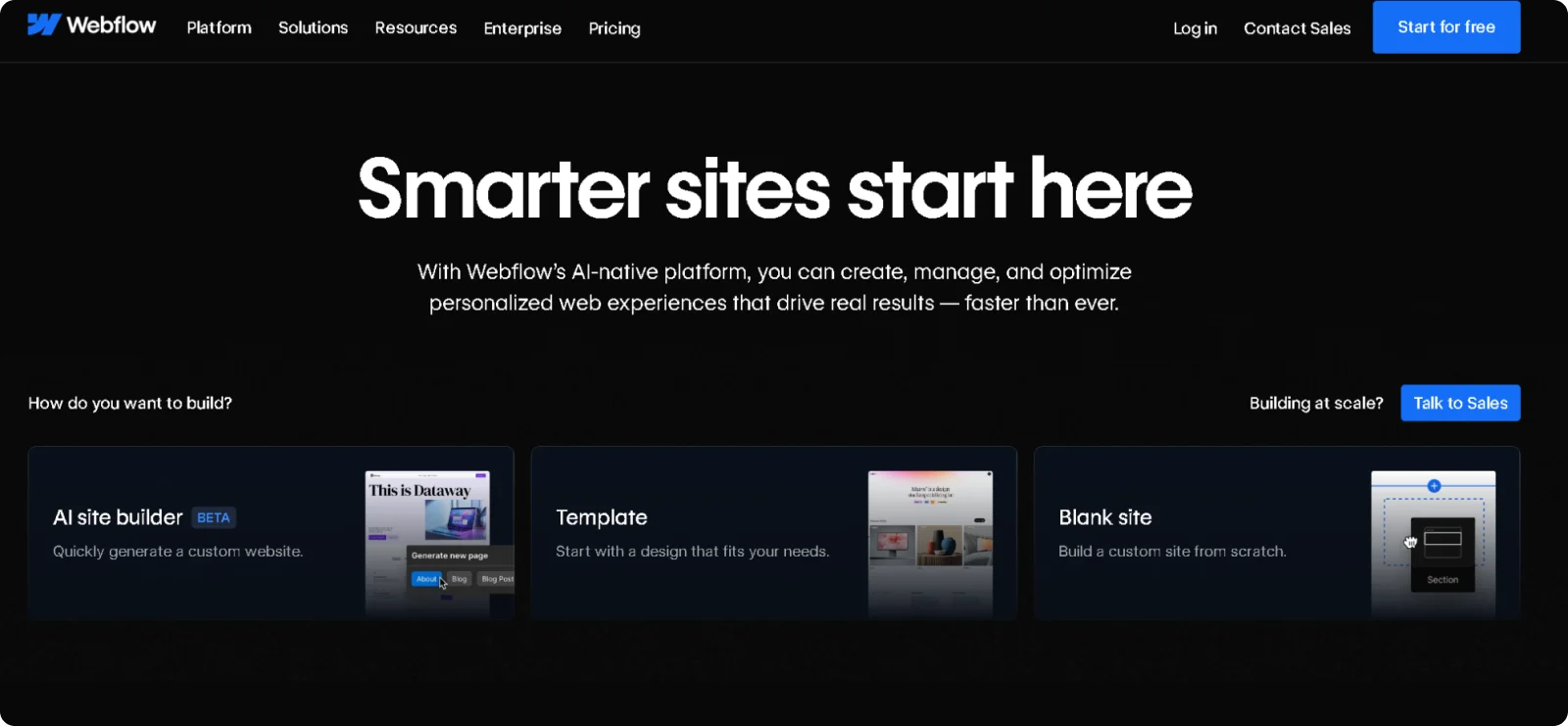
Webflow launched in 2013 as a visual design platform for people who want complete control over their website's appearance and performance. The platform generates clean, professional code automatically as you design, though the learning curve is steeper than with simpler builders.
This approach appeals to designers, agencies, and businesses that need sites to match their exact vision.
Key Features
- Visual CSS controls: Adjusts layouts, typography, spacing, and colors through an interface that mirrors professional CSS properties without requiring code syntax
- Custom interactions and animations: Creates scroll-based effects, hover states, page transitions, and complex animations through a visual timeline editor
- CMS capabilities: Builds dynamic content like blogs, portfolios, and product catalogs with custom fields and collection-based page generation
- Responsive design breakpoints: Customizes how designs adapt across desktop, tablet, and mobile with device-specific controls at every screen size
Pros
- Delivers pixel-perfect designs through professional-grade visual controls
- Produces clean, optimized code that performs well and supports advanced SEO
- Provides complete creative freedom without template restrictions
- Includes hosting, SSL, and CDN
Cons
- Requires learning web design concepts and terminology
- Takes longer to master than simplified builders
- Limits e-commerce capabilities compared to dedicated platforms
Pricing
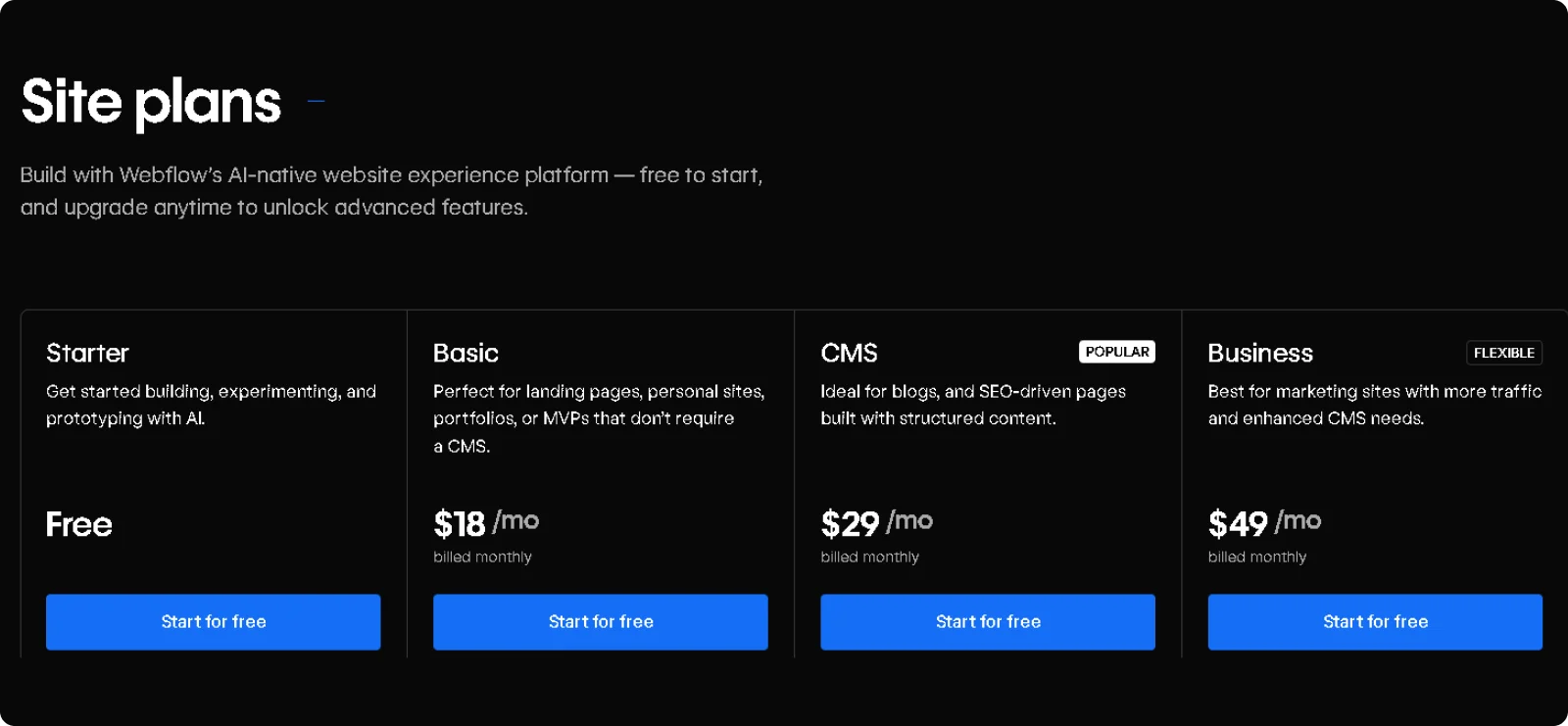
Webflow offers a free plan for testing. Paid site plans start at $18/month, or $14/month when billed annually. All paid plans include hosting, SSL certificates, and CMS access.
Wix Overview
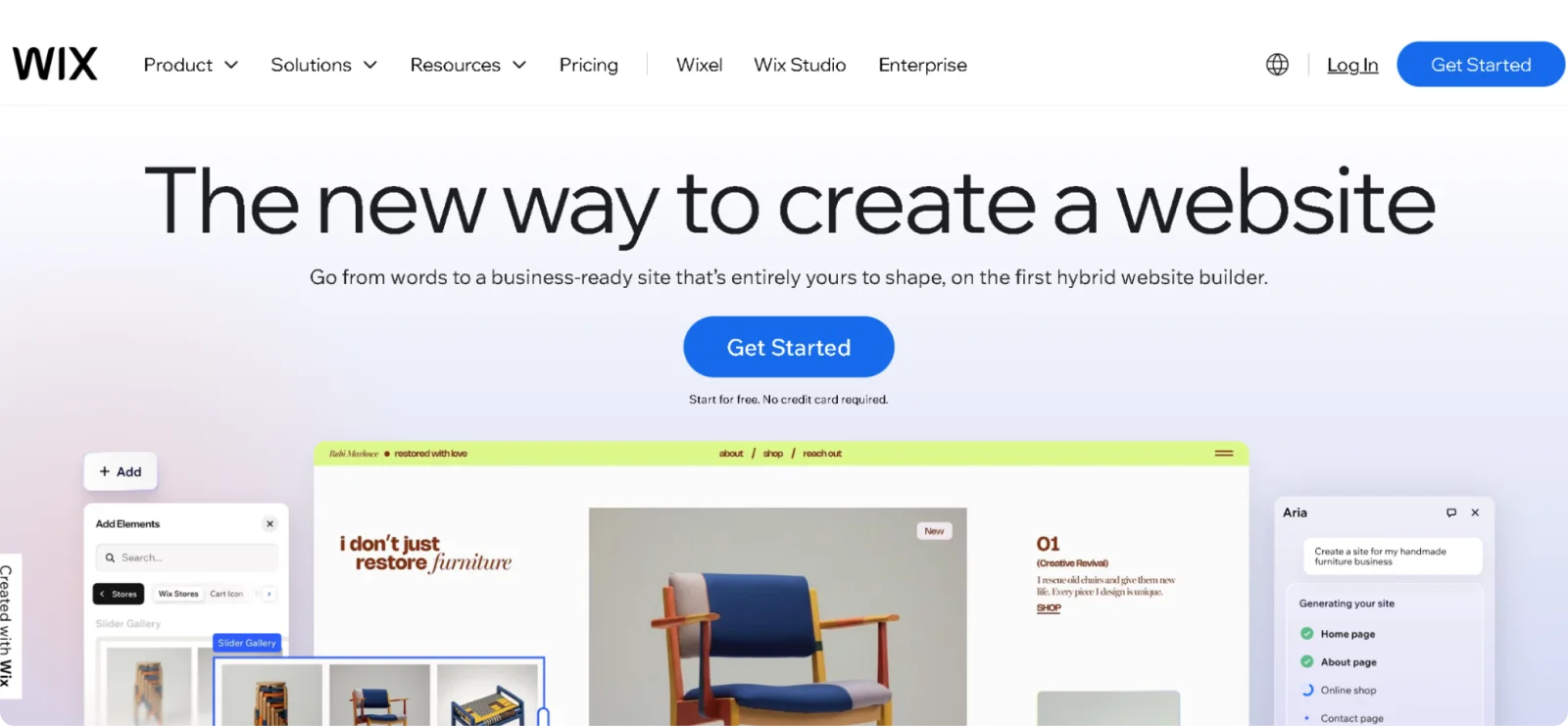
Wix was founded in 2006 to remove technical barriers to website creation, allowing anyone to build professional sites through drag-and-drop editing. The platform serves small business owners, freelancers, and anyone who needs a professional web presence quickly.
Key Features
- Drag-and-drop editor: Adjusts layouts, fonts, colors, and content placement through visual controls without requiring technical knowledge
- 900+ templates: Provides mobile-optimized designs across all industries, regularly updated for current trends
- Wix App Market: Extends functionality through integrations, including live chat, booking systems, marketing tools, and payment processing
- Built-in SEO tools: Includes meta tag editing, structured data, clean URLs, and SEO wizard guidance for search visibility
- AI website builder: Creates complete websites from conversational questions about business needs and design preferences
Pros
- Launches professional sites quickly through an intuitive interface and guided setup
- Offers an extensive app marketplace
- Includes comprehensive business tools like e-commerce, bookings, and email marketing
- Provides 24/7 customer support across all paid plans
Cons
- Prevents template switching after site publication
- Sometimes creates performance issues with complex designs or heavy app usage
- Limits advanced design customization compared to code-level builders
Pricing
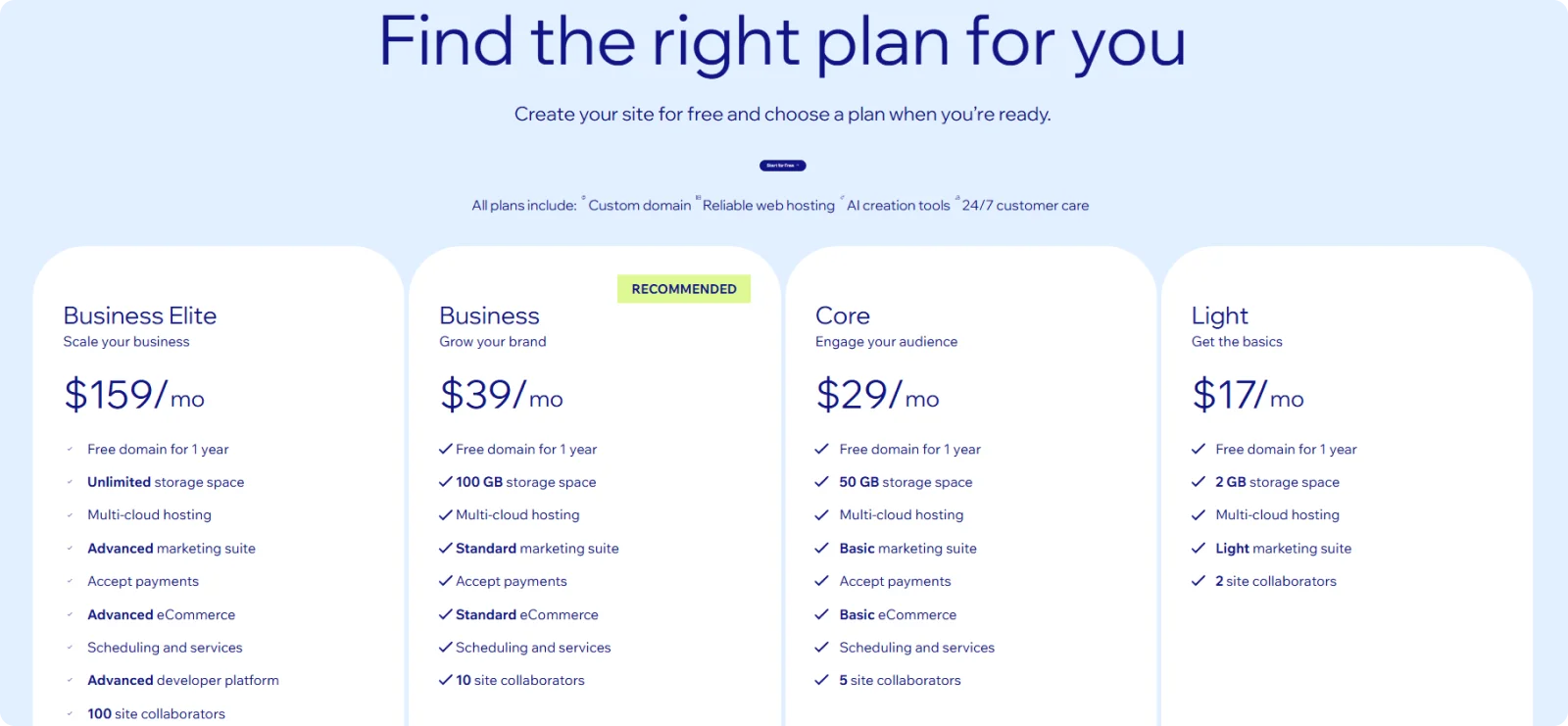
Wix offers a free plan with Wix branding and ads. Paid plans start at $17/month and are billed annually. All paid plans include a free custom domain for the first year, SSL certificates, and removal of Wix branding.
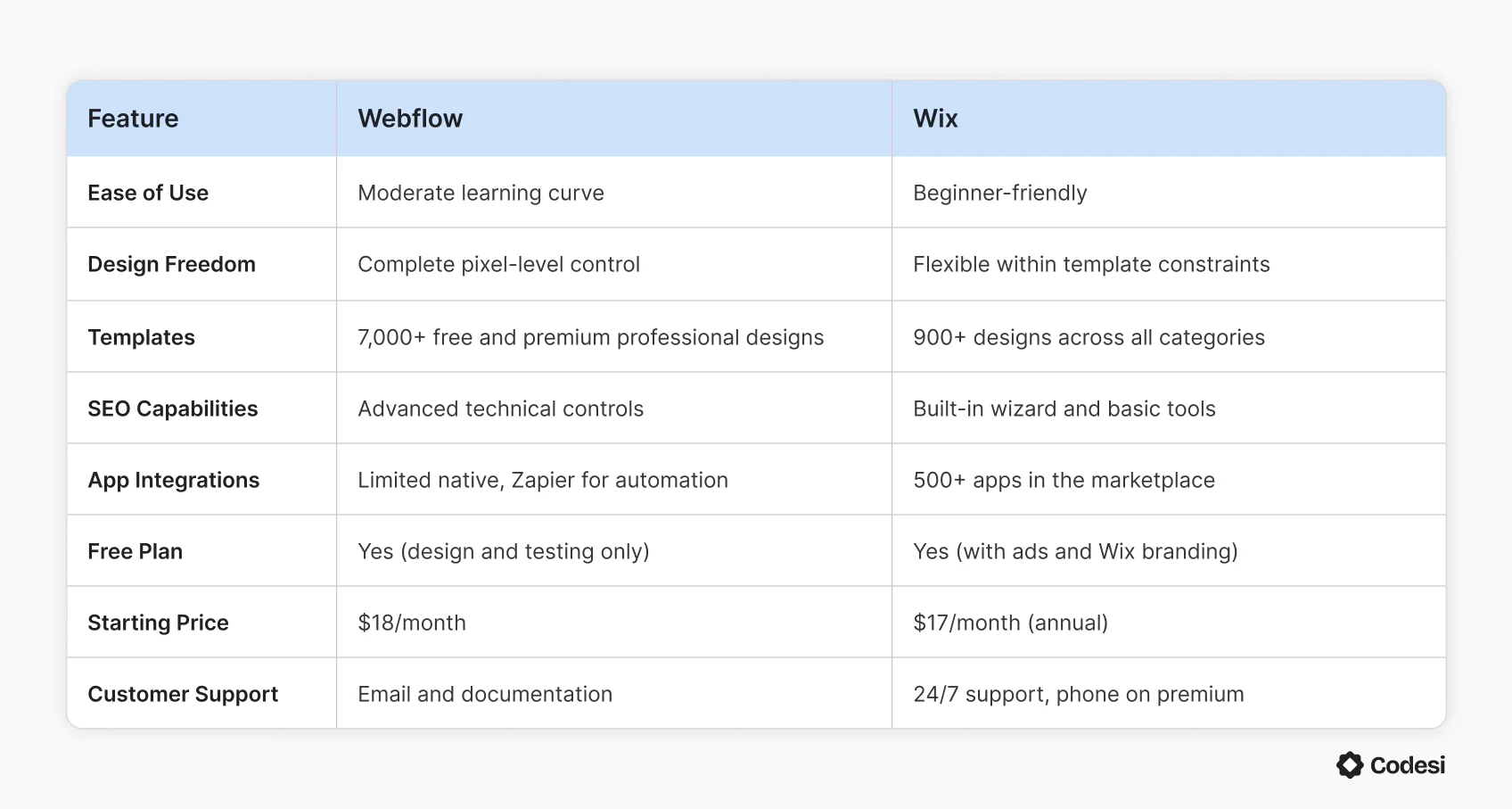
Webflow vs. Wix: Direct Comparison
Before going into the detailed breakdown, this table shows how Webflow and Wix compare across key features:
Ease of Use
Webflow requires understanding web design concepts to build effectively.
The interface exposes controls for CSS properties, flexbox layouts, and responsive breakpoints. You're working with div blocks, classes, and styling properties that mirror how professional developers structure websites.
Keep in mind that most people spend several days working through Webflow University tutorials before they can create their first functional site.
Wix removes the need for technical learning almost entirely. The drag-and-drop editor works exactly how you'd expect; click an element to edit text, drag it to move it, and changes appear immediately. Most people can build a basic site within a few hours.
The AI website builder generates complete sites by answering a few questions.
Design Flexibility and Customization
Webflow gives you pixel-perfect control over every element. You can adjust padding, margins, typography, spacing, colors, and positioning with the same precision as a developer would. You can create custom animations triggered by scroll position, complex hover effects, unique navigation systems, and precise responsive designs at every screen size.
However, this freedom means you can also break things easily if you don't understand how layouts work.
Wix uses a more guided approach. You choose a template, then customize it through drag-and-drop editing. The guardrails prevent you from creating layouts that break on mobile or designs that clash visually.
However, you can't switch templates after publishing or access the underlying code for structural changes. Also, certain layout behaviors are locked to Wix's system.
Templates and Design Quality
Webflow offers around 100 professionally designed, fully customizable templates. They are modern and design-forward, featuring sophisticated animations, clean typography, and contemporary layouts built by professional designers.
However, the smaller selection means that finding a template that matches your specific industry can be harder.
Wix offers over 900 templates across every industry and business type. You can find templates specifically designed for restaurants, photographers, consultants, online stores, portfolios, and blogs.
The variety makes it easier to find something close to your vision immediately.
However, once you publish with a template, you can't switch to a different one without rebuilding your site from scratch.
E-commerce Features
Webflow approaches e-commerce as an extension of its design system. Product pages are treated as structured content, which means you can integrate them deeply into editorial layouts and storytelling flows rather than confining them to rigid templates.
Webflow e-commerce includes:
- Custom checkout page and shopping cart design
- Integrated CMS product management
- 2% transaction fee on Standard plan (removed on Plus and above)
- 50 variants per product maximum
- Limited native dropshipping and multi-currency support
Webflow works well for design-led brands selling higher-consideration items where presentation matters more than operational automation.
Wix built its e-commerce features with accessibility and comprehensive functionality in mind. The Core plan unlocks e-commerce and supports up to 50,000 products.
Wix e-commerce includes:
- Up to 50,000 products across all e-commerce plans
- Inventory management and abandoned cart recovery
- Multichannel selling (social platforms, marketplaces)
- Subscription products and recurring payments
- 80+ payment gateway integrations
- 1,000 variants per product with 6 options each
- Dropshipping through integrated apps
- Storage: 50GB (Core), 100GB (Business), unlimited (Business Elite)
Managing very large catalogs can strain site performance, and single-level navigation can feel limiting as stores grow.
SEO Capabilities
Webflow generates clean, semantic HTML and CSS that search engines read easily. The platform provides advanced technical SEO controls, including custom meta tags, 301 redirects, schema markup support, XML sitemap customization, and Open Graph settings. Fast loading times are standard, thanks to optimized code output and included CDN hosting.
The CMS plan and above unlock advanced features, such as dynamic meta tags for collection pages and API access for programmatic SEO. Webflow sites generally perform well in Core Web Vitals without additional optimization.
Wix provides built-in SEO tools designed for non-technical users. The SEO wizard guides you through setup with personalized checklists based on your location and business type. You can customize meta titles, descriptions, URLs, alt text, and structured data through the dashboard.
Wix includes:
- Integration with Google Search Console
- Automatic XML sitemap generation
- Mobile optimization by default
- 301 redirects for changed URLs
- Basic schema markup
Wix's SEO has improved significantly over the years and now supports most standard SEO practices. However, Webflow's cleaner code structure and faster performance provide technical advantages for competitive industries.
Pricing and Additional Costs
Both platforms charge monthly subscription fees, but total costs extend beyond base pricing.
Webflow includes hosting, SSL, and bandwidth in all plans. Extra costs include e-commerce transaction fees (2% on the Standard plan), premium templates ($29–$79), and annual domain renewal ($15–$20). You'll need separate email hosting, such as Google Workspace ($6/month per user). Exceeding bandwidth or CMS limits requires upgrading to a higher plan.
Wix's lower base price can increase quickly. Premium apps cost $5–$20 per month each and add up quickly. Storage is limited: 50GB on Core, 100GB on Business, unlimited only on Business Elite ($159/month). Domain renewal costs $15 annually after the first year. Email hosting is separate.
Both platforms charge payment processing fees. Wix takes 2.9% + 30¢ per sale, while Webflow charges similar processing fees plus an extra 2% platform fee on its cheapest e-commerce plan.
Performance and Security
Webflow hosts all sites on AWS infrastructure with global CDN delivery, automatic SSL certificates, and regular backups. Sites load quickly due to clean code output and optimized asset delivery. Updates and security patches happen automatically without user intervention. The platform maintains PCI compliance for e-commerce transactions.
Webflow handles:
- Automatic updates and security patches
- Built-in DDoS protection
- Fast page speeds without optimization plugins
Wix provides fully managed hosting with automatic updates, SSL certificates, and security monitoring. Sites include DDoS protection and regular backups.
However, Wix sites can experience performance issues when using many apps or heavy design elements. Complex sites sometimes load more slowly than Webflow equivalents.
Customer Support
Webflow offers email support, extensive documentation, and Webflow University (a comprehensive video tutorial library). Community forums are active. Phone support is not available on standard plans.
Enterprise customers get priority support with custom SLAs.
Webflow support includes:
- Detailed documentation and tutorials
- Active community forum
- Email support (response times vary by plan)
- Webflow University for self-paced learning
Wix provides 24/7 customer support through multiple channels. All paid plans include priority support. Higher-tier plans (Business and above) offer callback requests for faster assistance. The help center includes articles, tutorials, and troubleshooting guides.
Wix support includes:
- 24/7 live chat and email support
- Callback requests on premium plans
- Extensive help center
- Video tutorials and guides
Apps and Integrations
Webflow has limited native integrations but supports custom code and API connections. Zapier enables automation with thousands of external tools. The platform prioritizes clean builds over extensive plugin ecosystems. Developers can use the Webflow API for custom integrations and the CMS API for programmatic content management.
Common integrations require:
- Custom code embeds
- Zapier for automation
- Third-party services via API
- Developer implementation for complex needs
Wix offers over 500 apps in the App Market covering marketing, analytics, booking systems, payment processing, customer management, and specialized features. Most apps install with one click. Popular integrations include Google Analytics, Mailchimp, social media platforms, and accounting software.
App categories include:
- E-commerce and payments
- Marketing and SEO
- Communication and chat
- Booking and events
- Analytics and reporting
Webflow vs. Wix: Which Should You Choose?
Choose Webflow if you:
- Have design experience or want to learn professional web design
- Need complete creative control over layouts and interactions
- Build sites for clients as an agency or freelancer
- Want pixel-perfect custom designs without template restrictions
- Prioritize fast performance and clean code output
- Don't mind investing time in learning the platform
Choose Wix if you:
- Need a site up quickly without technical learning
- Have no design experience or coding knowledge
- Want a guided setup with extensive templates
- Prefer comprehensive app integrations over custom solutions
- Need strong customer support and help resources
- Want lower entry costs with e-commerce features included
- If you're still unsure, there is another solution worth considering.
Try Codesi: A Faster Alternative to Webflow and Wix
Codesi removes most of the upfront work that traditional builders require. Instead of starting with templates and settings, you describe your business, and the platform generates a complete one-page website with design, visuals, and content already in place. You refine it visually, then publish.
Here's what makes Codesi a practical alternative for fast launches:
- Integrated branding: Generates logo options and brand-aligned visuals during setup
- Custom visual output: Creates AI images tailored to your positioning without stock photos
- Structured sections: Builds layouts with calls to action and conversion elements automatically
- Built-in hosting: Publishes with SSL and hosting included without external configuration
Codesi is designed for founders and small businesses that want professional results without managing complex builders, learning design principles, or configuring dozens of settings. If your priority is getting a quality website live without the usual setup steps, it offers a more direct path than either Webflow or Wix.
Ready to launch your website without getting stuck in builders and settings?
Start Codesi for free and generate your website in minutes.
Create your website with AI today
Codesi is a platform where you can make a website in 3 minutes.
No coding, no designers, no hassle - just AI.
