
Back to blog
10 Best Prompts to Use in AI Website Builder [Examples]
Explore the best prompts to use in an AI website builder and learn how you can create a professional, high-quality site with clear, effective inputs.

Apr 1 2026
![10 Best Prompts to Use in AI Website Builder [Examples]](https://codesi.ai/admin/static/cov07_b2468b4ae6.webp)
The best prompts for an AI website builder are specific, descriptive, and written with a clear outcome in mind. 63% of business owners now favor AI website builders over traditional web development, yet most still get generic results because they treat the prompt like a search query rather than a creative brief.
This guide covers ten prompts for an AI website builder, organized by use case, each designed to produce a professional, publish-ready result from the first attempt.
Key Takeaways
- A vague prompt produces a generic site; being specific about your business type, audience, tone, and goals is what separates a usable result from one that needs a full rewrite.
- AI website builders generate better output when the prompt includes the pages needed, the services offered, and the tone the brand should carry.
- The same prompt can be reused and refined across different use cases, from homepages to local SEO copy.
- Codesi's two-step process (business description and style choice) means the prompt you write in step one directly shapes every page, image, and section the platform generates.
What Makes a Good AI Website Builder Prompt?
The difference between a good prompt and a weak one is specificity. A prompt that names the business, describes the service, identifies the target customer, and sets a tone gives the AI a brief it can actually build from.
The best prompts answer four questions before the AI asks them:
- What does the business do?
- Who does it serve?
- What action should a visitor take?
- What should the site feel like?
The closer the prompt gets to answering all four, the less editing the output requires after generation.
The 10 Best Prompts for AI Website Builders
The prompts below are organized by use case, each with a ready-to-copy example, an explanation of why it works, and a tip for getting even better results.
Swap out the details in brackets for your own business information before using them.
1. Homepage Prompt
Create a homepage for [business name], a [business type] based in [location] that helps [target audience] with [main service or product]. The tone should be [professional/friendly/bold]. Include a headline, a short intro paragraph, three key services, and a call to action button that says [CTA text].
Why It Works: This prompt gives the AI a complete picture—it names the business, defines the audience, sets the tone, and specifies the exact sections needed. Most generic homepage prompts skip the audience and tone, which is why the output often reads as if it could belong to any business in any industry.
Pro Tip: Add a line describing your biggest competitor's weakness. For example: "Unlike most [business type] in [location], we [unique differentiator]." This pushes the AI to write positioning copy rather than generic descriptions.
2. Service Page Prompt
Write a service page for [specific service name] offered by [business name]. The service helps [target customer] to [specific outcome]. Include a brief overview, three to four key benefits, a short FAQ with two questions, and a call to action encouraging visitors to [desired action].
Why It Works: Service pages fail when they describe what a business does without explaining what the customer gets. This prompt forces the AI to frame the service around outcomes rather than features, which is what drives a visitor to make an inquiry. The built-in FAQ section also captures long-tail search traffic without requiring a separate page.
Pro Tip: Include a line about the most common objection your customers have before booking. The AI will address it naturally within the copy rather than leaving it unacknowledged.
3. About Page Prompt
Create an About page for [business name], founded in [year] by [founder name or team description]. The business was started because [founding reason or problem it solves]. Our customers are typically [audience description] who need [specific outcome]. Write in a [warm/direct/conversational] tone and end with a short paragraph about our values or approach.
Why It Works: About pages are where most AI-generated sites fall flat because the prompt usually says nothing more than "write an about page." This version gives the AI a founding story, a customer profile, and a tone directive, which produces copy that feels human and specific rather than corporate and interchangeable.
Pro Tip: Mention one specific detail about the founder or team, a background, a credential, or a personal reason for starting the business. Specificity at this level is what separates a memorable About page from one that reads like a template.
4. Contact Page Prompt
Create a contact page for [business name]. Include a short intro line encouraging visitors to get in touch, a contact form with fields for name, email, phone number, and message, our business address at [address], phone number [phone], and operating hours [hours]. The tone should be [welcoming/professional].
Why It Works: Contact pages are often an afterthought, but they are where high-intent visitors land before making a decision. This prompt ensures the AI includes every detail a visitor needs to take action without having to search elsewhere on the site.
Pro Tip: Add a line about response time. Something like "We respond within [X hours]" reduces friction for visitors deciding whether to reach out.
5. Portfolio or Gallery Page Prompt
Create a portfolio page for [business name], a [business type] that specializes in [specialty]. Include a short intro paragraph, a placeholder grid for [number] project images, and a brief caption format for each project showing [project name], [location or client type], and [outcome or scope of work].
Why It Works: Without a caption structure, AI-generated gallery pages produce placeholder text that means nothing. This prompt gives the AI a repeatable format for each project entry, which makes the output usable immediately.
Pro Tip: Mention the type of work you want to lead with. If your strongest projects are in a specific niche, name it in the prompt so the AI prioritizes that framing in the intro copy.
6. eCommerce Product Page Prompt
Write a product page for [product name] sold by [business name]. The product helps [target customer] to [specific benefit]. Include a product title, a two-to-three sentence description, three to four bullet point features, a price placeholder, and a call to action button that says [CTA text].
Why It Works: Product pages need to do three things fast: explain what the product is, show why it matters to the buyer, and make it easy to purchase. This prompt structures all three without leaving room for vague marketing language.
Pro Tip: Include the most common questions customers ask before buying. The AI will work it into the copy naturally, reducing the need for a separate FAQ section on the product page.
7. SEO Optimization Prompt
Rewrite the homepage copy for [business name] to target the keyword "[target keyword]". The business offers [service or product] to [target audience] in [location]. Include the keyword naturally in the headline, first paragraph, and one subheading. Keep the tone [professional/conversational] and avoid keyword stuffing.
Why It Works: Most SEO prompts ask the AI to "optimize for keywords" without specifying where or how. This version places the keyword in exact locations, which produces copy that reads naturally while hitting the structural signals search engines look for.
Pro Tip: Run the target keyword through Google's “People Also Ask” section first. Add one or two of those questions to the prompt and ask the AI to answer them within the copy.
8. Design and Style Prompt
Generate a website for [business name] with a [modern/minimal/bold/warm] visual style. Use a color palette based on [color or brand colors]. The font style should feel [clean/strong/approachable]. The overall impression should be [trustworthy/creative/professional/energetic] for a visitor landing on the homepage for the first time.
Why It Works: Design prompts fail when they only name a color. This version gives the AI a complete aesthetic brief covering style, palette, typography direction, and the emotional impression the site should leave. The result is a site that feels intentional rather than default.
Pro Tip: Reference a brand outside your industry whose visual style you admire. For example: "The tone should feel similar to how [brand name] presents itself, but applied to a [your industry] context."
9. Landing Page Prompt
Create a landing page for [offer or campaign name] by [business name]. The page should target [audience] and drive them to [specific action]. Include a headline, a short paragraph explaining the offer, three benefits, a testimonial placeholder, and a call to action button that says [CTA text]. Remove all navigation links.
Why It Works: The instruction to remove navigation links is the detail most landing page prompts miss. Keeping navigation on a landing page gives visitors a way out before converting. This prompt locks the page to a single focus, which is what makes landing pages convert better than standard site pages.
Pro Tip: Add urgency to the prompt by including a deadline or limited availability line. Even a placeholder like "Offer ends on [date]" helps the AI write with more directional copy.
10. Local Business Prompt
Create a homepage for [business name], a [business type] serving [city]. Include our service area covering [list of areas], a headline mentioning [city name], three core services, and a call to action encouraging visitors to call or request a quote. Optimize the copy for local search.
Why It Works: Local search results favor pages that explicitly name the service area. This prompt tells the AI to weave location into the headline and copy structure from the start, which helps it rank more competitively for "[service] in [city]" searches.
Pro Tip: List two or three neighboring towns alongside the primary city. The AI will work them into the copy naturally, expanding local search visibility without creating separate pages.
How to Write Better AI Website Builder Prompts
Most people get generic results not because the AI is limited, but because the prompt is. These four habits close the gap between a forgettable first draft and a site that is ready to publish.
- Name your audience: Describing who the site is for changes the tone, vocabulary, and calls to action the AI chooses, more than any other single input
- Focus on outcomes, not features: Describing what changes for the customer after using your service pushes the AI toward copy that converts rather than a list of what the business does
- Set the tone explicitly: Words like "direct," "warm," "no-nonsense," or "approachable" give the AI a voice to write in, which keeps the output consistent across every page
- Treat the first output as a draft: Two rounds of prompting almost always produce a stronger result than trying to get everything right in a single attempt
How to Create a Website with Codesi, Using a Prompt
Every prompt in this guide works in any AI website builder, but Codesi is built specifically around prompt-driven generation. Below are the steps to create a website on Codesi using one of the prompt examples:
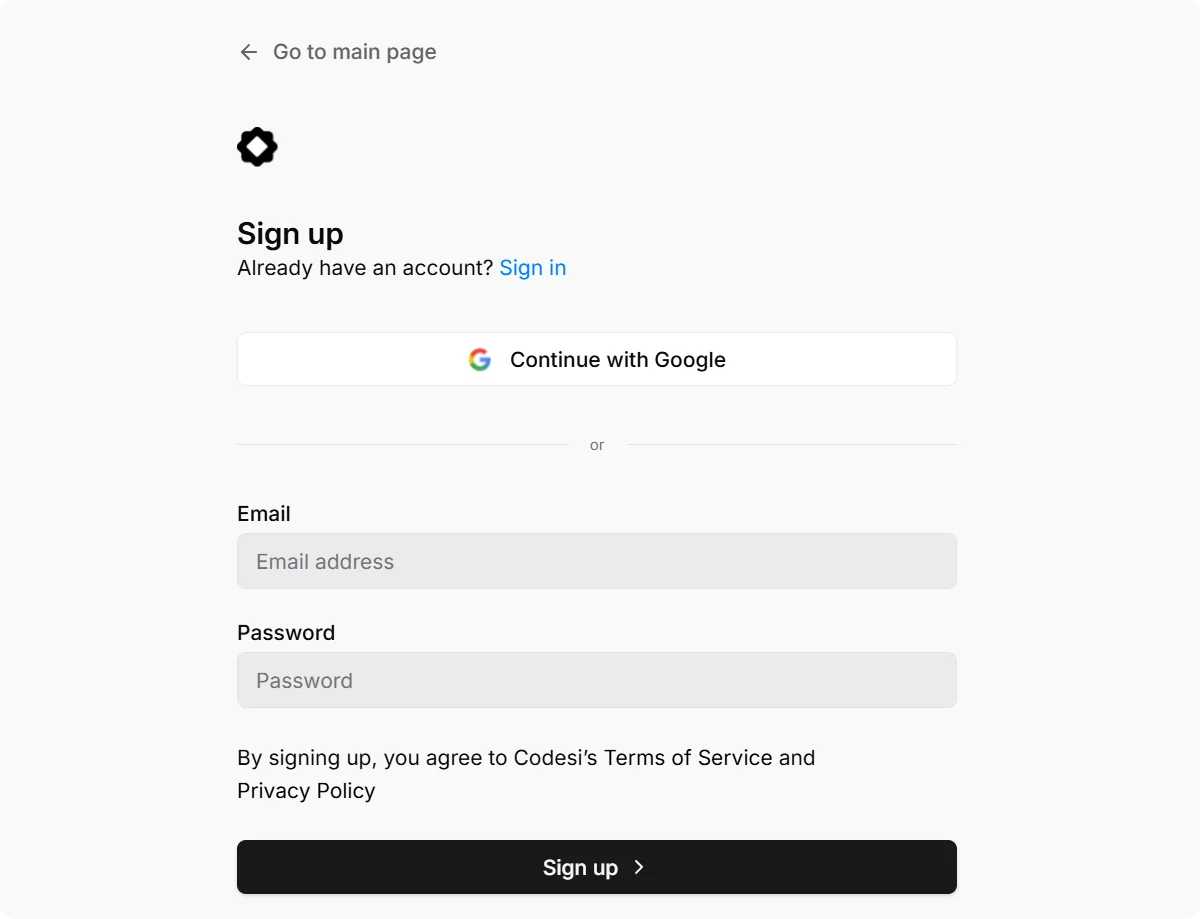
Step 1: Sign up on Codesi
Go to Codesi.ai and create a free account. No credit card is required to get started.
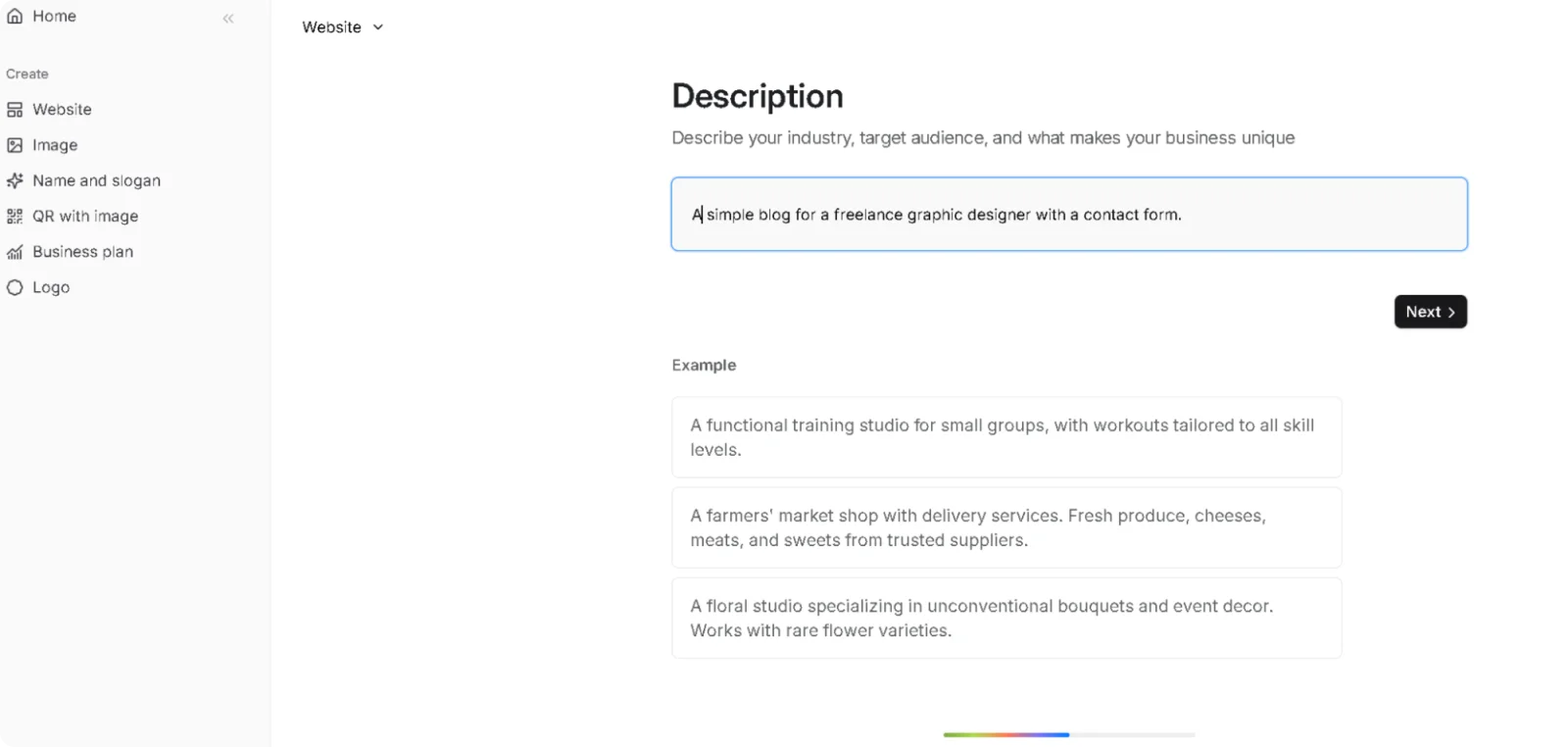
Step 2: Go to the website generator
Navigate to the website builder and click on "New site". This is where you enter your business description, and the AI begins building your site.
Step 3: Write your prompt
Describe your business in plain language, covering what you do, who you serve, and the tone you want. Here is an example:
Create a homepage for Bright Spark Electrical, an electrician business serving Austin, TX. We help homeowners with panel upgrades, rewiring, and emergency callouts. The tone should be professional and approachable. Include a headline, three core services, and a call to action encouraging visitors to request a quote.
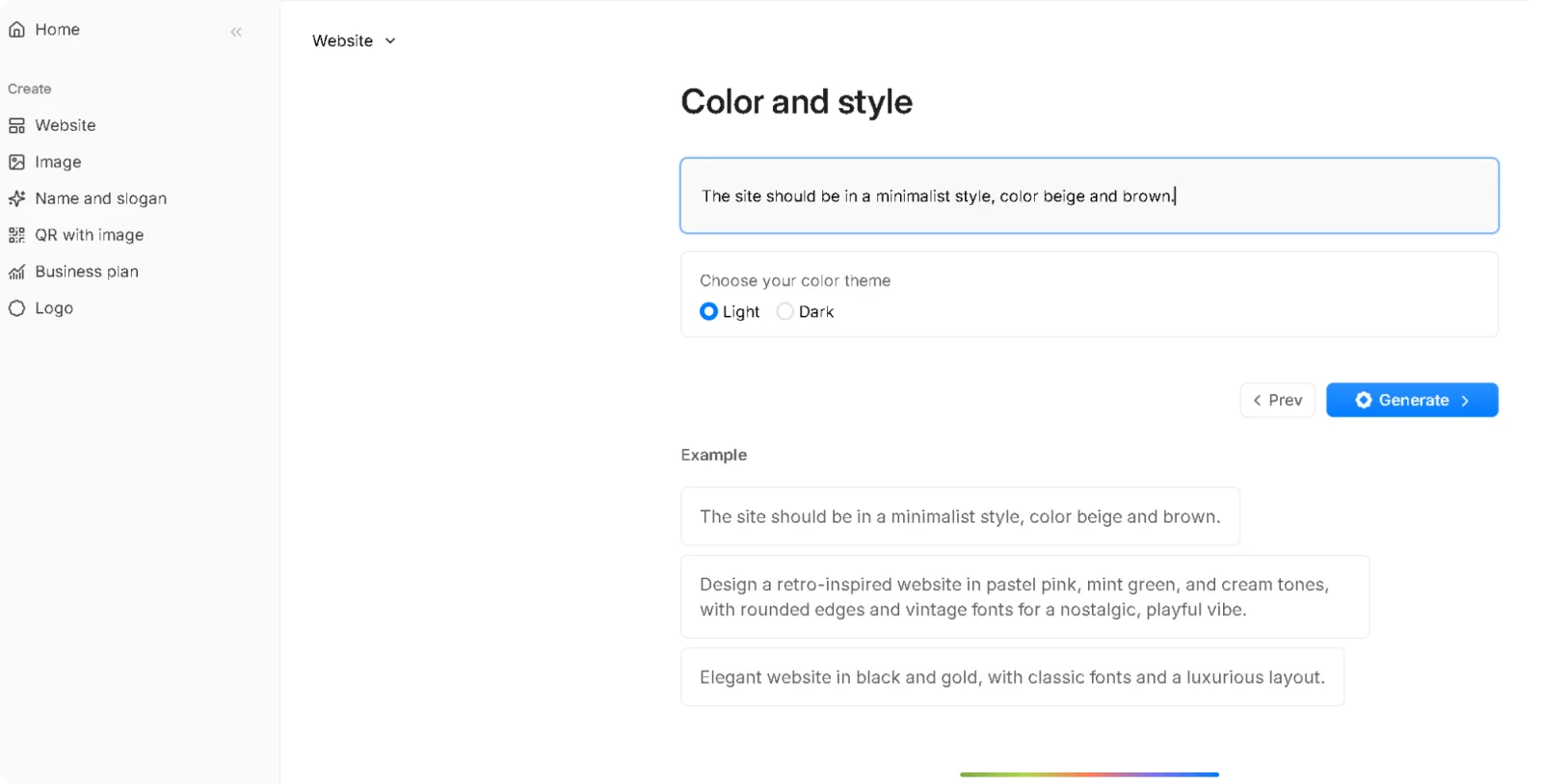
Step 4: Choose your style
Select a color palette, font style, and layout structure. No design experience needed, just pick the visual mood that matches the tone in your prompt.
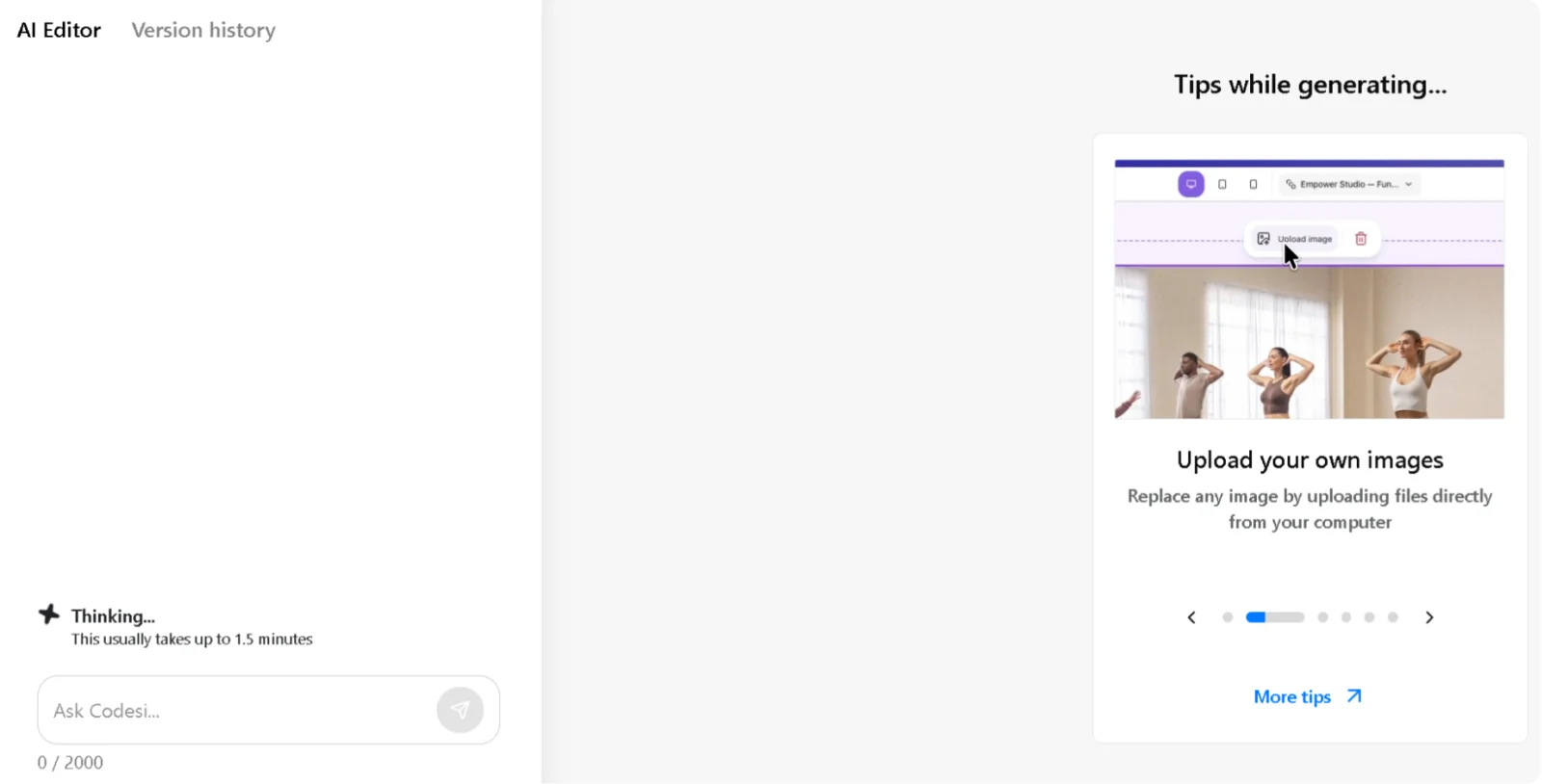
Step 5: Wait for the site to be generated
Click "Generate" and wait a few minutes for the AI to build the website.
Step 6: Edit the generated site
Modify text, swap images, and rearrange sections directly on the page. Every change is updated in real time before anything goes live.
Step 7: Publish
Connect a custom domain or publish to a free Codesi subdomain. SSL is included automatically with no hosting setup required.
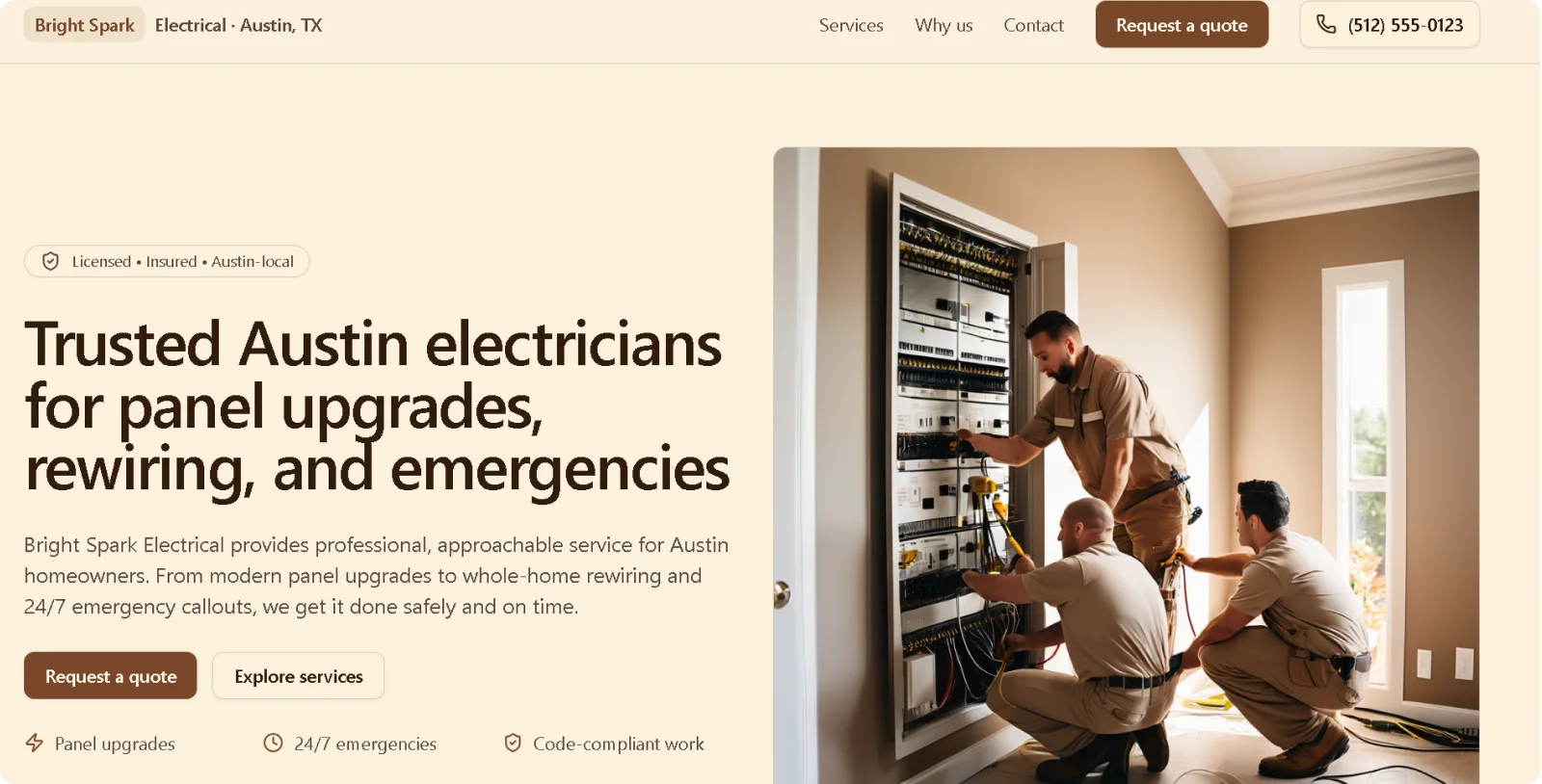
The free plan includes one website generation per day, full editor access, and one month of free hosting, enough to see exactly what Codesi can do with your prompts before spending anything.
Ready to put these prompts to work?
Start Codesi for free and generate your first website in minutes.
FAQ
What is the best prompt for a website?
The best prompt names the business, describes the target audience, lists the required pages, and sets the tone. A prompt that answers those four questions produces a structured, ready-to-publish site with minimal editing required after generation.
How do I use AI to build a website?
Pick an AI website builder, write a description of your business and what you need the site to do, and let the platform generate the site. Most AI builders, including Codesi, produce a complete site with copy, AI images, and layout from a single text input. You then edit the output and publish.
Can AI build a website for free?
Yes. Codesi offers a free plan with one website generation per day, full editor access, and one month of free hosting. Other AI builders also offer free plans, though most limit features or add platform branding until you upgrade to a paid plan.
Create your website with AI today
Codesi is a platform where you can make a website in 3 minutes.
No coding, no designers, no hassle - just AI.
